In this guide
A Workday application status tells you whether your application is still open, not how close you are to the job. Submitted, Under Review, Under Consideration and In Progress mean nobody has declined you yet; Not Selected, Completed and No Longer Under Consideration mean that application is closed. Each employer sets up its own hiring steps and picks the labels you see, so read the label as a rough guide, check your Tasks, and follow up once if it goes quiet.
The short version
- Submitted, Under Review, Under Consideration and In Progress all mean you haven't been declined. None of them says a person has read your resume.
- Employers squeeze many internal steps into a few labels. At UW–Madison, In Progress covers everything from interviews and assessments to the employment agreement.
- Tasks beat labels. Interview slots, questionnaires and offer letters show up under Tasks or by email, often while the status stays the same.
- Not Selected, Completed and Inactive close that one application. Your other applications keep their own status.
- Never withdraw to fix a mistake. Some employers won't let you apply to the same job again.
- Every employer runs its own Workday site with its own login, so keep your own list of where you applied.
Every Workday status at a glance
This is the usual reading of each status a Workday applicant sees, drawn from employers that publish theirs. Your employer may word them differently or use only a few. Each one is explained in full below.
| Status you see | Where it sits | What it usually means |
|---|---|---|
| Submitted | Active | It arrived. Nobody has moved it to a later stage yet. |
| Under Review | Active | Someone is checking it. Some employers reuse this label later on. |
| Under Consideration | Active | Still in the running. Someone is reviewing you or has bookmarked you. |
| In Progress | Active | Still active, and often past the first check. Where depends on the employer. |
| A task appeared | Tasks | They need something from you: a form, a slot, a test or a signature. |
| Offer | Tasks | An offer is being made. Checks can still follow. |
| Not Selected | Inactive | Closed for this job. Your other applications keep their own status. |
| Withdrew | Inactive | You pulled it. Some employers won't let you reapply to that job. |
| Recruitment Canceled | Inactive | The employer stopped hiring for this job. It isn't about you. |
Submitted or Received: it arrived
Your application arrived and is waiting in the first review stage. UW–Madison shows Submitted for exactly that; Public Health Ontario calls it Received.
What it can't tell you: whether anyone has opened it. Recruiters move you between steps inside a stage, and UW–Madison notes those steps don't change what you see.
What to do: save the confirmation email and the requisition number (REQ-…). Log the job with today's date, then keep applying.
Under Review: someone is checking it
Someone is checking your application. At CSU Pueblo it means HR's first review after you submit.
What it can't tell you: which round you're in. CSU Pueblo uses Under Review at more than one stage: going from In Progress back to Under Review there can mean you were picked for interviews, not that you moved backward.
What to do: open Candidate Home and check Tasks and Events, not only the label. If nothing changes in 7 to 10 days, one short follow-up is fair.
What Under Consideration means on Workday
You're still in the running and someone is reviewing you. Public Health Ontario uses it to say its talent team is actively reviewing your application.
What it can't tell you: how far it goes. At Emerson College, Under Consideration is where a hiring manager bookmarks candidates who could move forward, and Workday sends no email when you land there.
What to do: nothing to fix. Keep applying elsewhere, and follow up once if a week or two passes with radio silence.
What In Progress means on Workday
You haven't been declined and you're past the first step. Where you are depends on the employer: UW–Madison shows In Progress for every active stage after Review, including interviews, assessments and the employment agreement; CSU Pueblo uses it once you've met the minimum qualifications and gone to a committee.
What it can't tell you: whether you'll get an interview. CSU Pueblo says In Progress doesn't guarantee one, and at the University of Washington it can still mean HR is checking minimum qualifications.
What to do: watch your email and Tasks for an interview invite or questionnaire. Two weeks of silence? Send one follow-up with the requisition number.
A task in Candidate Home: do it the same day
The employer needs something from you. Workday's admin guide lists what employers can send to Candidate Home: questionnaires, requests for more information, interview events, assessments, e-signatures and ID uploads.
What it can't tell you: how close you are. CSU Pueblo lists interviews and reference requests separately from the status, so the label may not move, and it says reaching references still doesn't guarantee an offer.
What to do: do it the same day. A task asks you for something specific; a label only describes where the employer filed you.
Offer: read and sign it under My Tasks
You've reached the offer. At Emerson College the hiring manager makes a verbal offer first, then Workday emails you to log in and sign the letter; Washington and Lee puts the offer under My Tasks. Some employers never show an Offer label: UW–Madison still shows In Progress at the employment agreement stage.
What it can't tell you: that it's final. At Emerson a background check follows the offer, run by an outside company that emails you directly, and it takes about two weeks there.
What to do: read and accept it in My Tasks, and answer any background check email quickly. Keep your other applications open until you've signed.
Not Selected, Completed or No Longer Under Consideration
This application is closed. UW–Madison shows Completed on the Inactive tab after any decline; CSU Pueblo moves it to Inactive with a reason such as Not Selected or Does Not Meet Minimums; Emerson College's automatic email says you're no longer being considered for the role. Workday lets employers relabel the reasons candidates see, so the wording changes from one company to the next.
What it can't tell you: why, or when it really happened. The University of Washington says Not selected can come at any time after you apply, and UW–Madison also shows Completed when a job is canceled.
What to do: mark it closed and move on to the next role. CSU Pueblo notes your other applications keep their own statuses. Asking once for feedback is fine.
Withdrew: you pulled the application
You pulled the application, from Candidate Home or through the recruiter. Workday files a withdrawal as declined by the candidate, and UW–Madison shows it as Withdrew on the Inactive tab.
What it can't tell you: whether you can apply again. Workday makes reapplying an employer setting, and the University of North Florida says you can't apply to the same opening again once you withdraw.
What to do: withdrawing to fix a mistake can lock you out of the job. Email the recruiter or HR with the correction first.
Recruitment Canceled: the employer stopped hiring
The employer stopped hiring for the job, whatever stage you'd reached. The University of Washington shows Recruitment Canceled; UW–Madison shows Completed on the Inactive tab.
What it can't tell you: whether the job will come back. A frozen job is different: UW–Madison says you keep the status you had when it froze, so a stuck status can be a paused hire.
What to do: close it on your board and set a job alert on that employer's careers site so a reposted job reaches you.
Why your Workday status rarely tells you where you stand
Workday doesn't decide what you see. Each employer builds its own hiring process inside Workday, with its own stages, and chooses how they show up to candidates. Workday's administrator guide even gives employers a Candidate Label Override for decline reasons: the wording candidates see in any communication.
So one label means different things at different companies. UW–Madison shows Submitted only while an application is in Review, then In Progress for every active stage after that. Recruiters also move candidates between smaller steps inside a stage, and UW–Madison says those steps don't change what candidates see, and that a status change sends you no notification.
A status that hasn't moved in weeks isn't always bad news. If an employer freezes a job, UW–Madison says candidates keep the status they had when it froze.
None of these meanings is universal. When your employer's careers site explains its own statuses, trust that over any guide, this one included.
How to check your application status in Workday
There's no central Workday site for job seekers. Each employer runs its own Workday careers site, and you create a Candidate Home account on that site when you apply. Workday's own guide for job seekers says there's no unified view of your applications yet: each employer's careers site is still the place to check.
That's why you end up with a separate login, and often a separate password, for every employer. Workday's employer FAQ describes the Candidate Home account as unique to each employer, and Public Health Ontario tells applicants they need to create a unique Workday login for its site.
- Go back to the employer's careers site, the one you applied on. Your confirmation email is the quickest way there; the University of Washington's comes from uw@myworkday.com.
- Sign in with the email you applied with. Forgot the password? Reset it on that site. A login from another employer's Workday site won't work.
- Open Candidate Home, then My Applications. Open applications and closed ones sit on separate Active and Inactive tabs.
- Check Tasks as well. Employers can send questionnaires, interview scheduling, assessments, e-signatures and ID uploads there, and CSU Pueblo points candidates to Tasks and Events for interviews.
- Copy the requisition number (REQ-…) and the date you applied. You'll quote them when you follow up.
Workday is building one Candidate Profile you can reuse across employers, and its employer FAQ puts general availability in early 2027. Until it arrives, plan on one login per employer.
Rejected minutes after applying? It may have been a rule
Employers can set Workday to decline candidates automatically. Workday's administrator guide describes rules that decline candidates at the application stage when they meet a condition, such as not being eligible to work in the country, and at later stages, such as after a failed background check.
Another setting declines every remaining active candidate once the last opening on a job is filled. That's how an application you'd forgotten about can close weeks after you sent it.
Fast rejections from people happen too. Emerson College asks its hiring managers to decline unqualified candidates within 3 to 7 days of applying, and those candidates get an automatic email saying they're no longer being considered for the role.
If the rejection landed within minutes, look at the screening questions you answered, such as work authorization or location, before you rewrite your whole resume.
How long a Workday application takes
No status comes with a clock, and Workday doesn't publish typical hiring times. These are the only figures the employers we read put in writing, and each one describes that employer only:
- CSU Pueblo: searches commonly take about 2 to 6 weeks after the full consideration date on the posting. Applications that arrive after that date are reviewed only if needed.
- University of North Florida: filling a job can take anywhere from a couple of weeks to several months.
- Emerson College: unqualified candidates should be declined within 3 to 7 days, and the background check after an offer takes about two weeks.
While an application sits on the Active tab, nobody has declined it in Workday. That doesn't mean anyone is looking at it, so keep applying elsewhere instead of waiting on one label.
When and how to follow up on a Workday application
Give it time first. UNLV's career services suggest waiting about 7 to 10 days unless the posting gives its own timeline; the University of Arizona's career team suggests two weeks before you contact the recruiter.
Write to a person if you can find one: the recruiter named on the posting, or the hiring manager. Put the requisition number in the subject line so they can find you in Workday fast. Send one follow-up. If that gets radio silence, close it on your list and spend the time on your next application.
Hi [Name],
I applied for the [job title] role ([REQ number]) on [date] through your careers site, and my application still shows [status]. I'm still very interested, especially in [one specific thing about the team or the work].
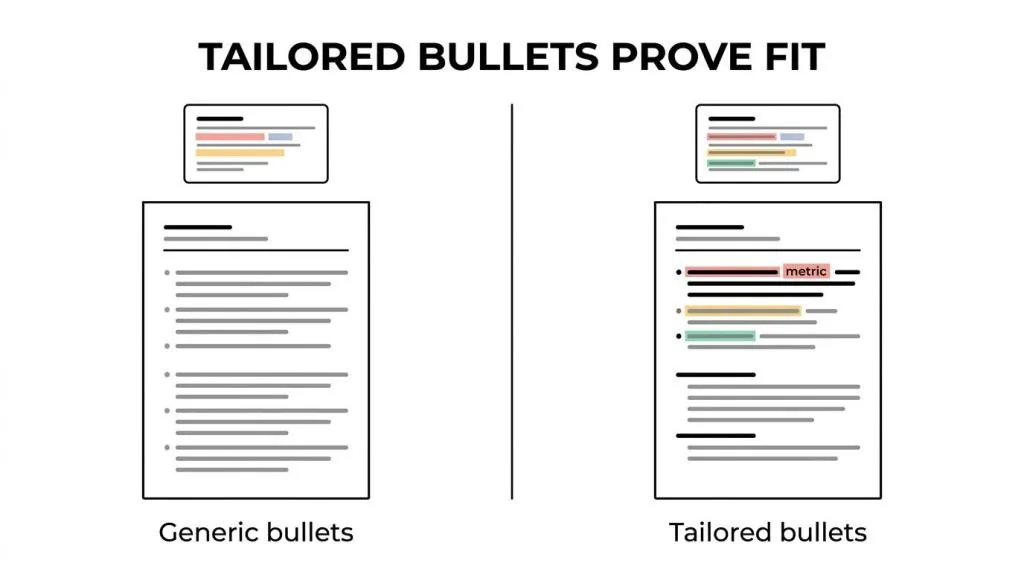
The short version of why I fit: [one result from your resume that matches the posting].
Is there anything else you need from me, and is there a timeline I can plan around?
Thanks for your time, [Your name] [Phone] · [LinkedIn URL]
Withdrawn vs Not Selected, and whether you can apply again
Not Selected, Completed or No Longer Under Consideration means the employer closed your application. Withdrew means you did. Workday records a withdrawal as declined by the candidate, and you can only withdraw at the stages where the employer allows it.
Whether you can apply to the same job again is the employer's setting: Workday lets each one turn reapplying from Candidate Home on or off. The University of North Florida says that once you withdraw, you can't apply to that job again, and tells applicants not to withdraw and reapply.
You usually can't edit an application once it's submitted, either. Washington and Lee and the University of North Florida both say so, and UNF asks applicants to contact HR to change one.
A rejection for one job only closes that job. UNF asks for a new application for each job, and CSU Pueblo says your other applications keep their own statuses.
Spotted a mistake after you submitted? Email the recruiter or HR with the correction and the requisition number. Withdrawing to fix it can lock you out of the job.
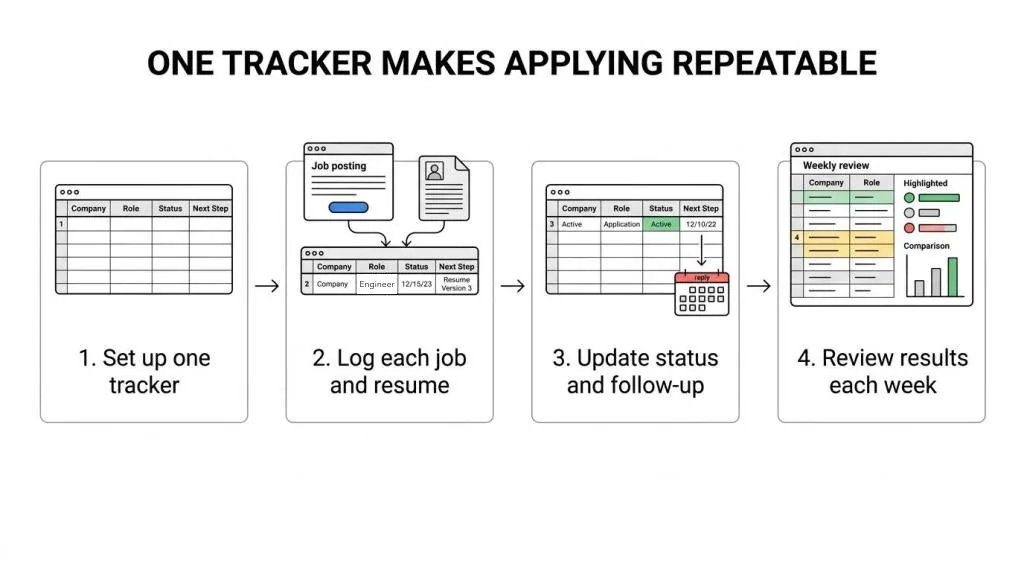
Track every Workday application in one place
One Workday account per employer means nothing shows all your applications at once, and statuses change without an email. If you don't keep your own list, the job you most wanted is the one that slips.
The ATSPrep job tracker is free and runs in your browser. Add each job with its posting link and the date you applied, put the requisition number and the careers site email in its notes, and move it across five columns: Saved, Applied, Interviewing, Offer and Closed. Signed out, it holds 3 jobs; a free account holds up to 300 and syncs them across your devices.
A job that has sat in Applied for over a week with no next step gets flagged. Copy a follow-up writes a short note for you to send yourself, and sets a reminder to check for a reply a week later.
| Workday shows | Move the job to |
|---|---|
| Submitted, Under Review, Under Consideration or In Progress | Applied |
| An interview task or invite | Interviewing |
| Offer | Offer |
| Not Selected, Completed or No Longer Under Consideration | Closed: Rejected |
| Withdrew | Closed: Withdrew |
| No change and no reply for a month | Closed: No reply |
Common questions
What does In Process mean on Workday?
Most Workday sites say In Progress, which many people search as in process. It means your application is still open and hasn't been declined. Where you are depends on the employer: at the University of Washington it can mean HR is checking minimum qualifications, and at UW–Madison it covers every active stage after the first review, up to the employment agreement.
Is Under Consideration a good sign on Workday?
It beats a decline, but it isn't an interview. At Public Health Ontario it means the talent team is actively reviewing you; at Emerson College it's where a hiring manager bookmarks candidates who could move forward, and you get no email when you land there.
What does No Longer Under Consideration mean on Workday?
That application is closed and won't move forward. Employers choose the wording candidates see, so others show Not Selected or Completed for the same outcome. It applies to that one job only, and your other applications keep their own status.
What does Completed mean on a Workday application?
At UW–Madison, Completed on the Inactive tab means the application is closed: you were declined, or the job was canceled. It doesn't mean your application is complete and waiting for review.
Why did my status go from In Progress back to Under Review?
Some employers reuse Under Review at more than one stage. CSU Pueblo says that move can mean you were selected for the interview stage, not that you went backward. Check Tasks and your email for an invite.
Does Workday email you when your status changes?
Not always. UW–Madison says a status change sends no notification. At Emerson College you get no email when you move to Under Consideration, and phone screens and interviews are arranged outside Workday; declines, reference requests and offers do come by email there.
Why do I need a new Workday account for every company?
Each employer runs its own Workday careers site, and your Candidate Home account belongs to that employer's site. Workday says there's no unified applications view yet. It plans one Candidate Profile you can reuse across employers, generally available in early 2027.
How long does a Workday application stay In Progress?
There's no set time, and it depends on the employer. CSU Pueblo says its searches commonly take about 2 to 6 weeks after the full consideration date; the University of North Florida says filling a job can take from a couple of weeks to several months.
The job posting closed but my status still says In Progress. Why?
Closing the posting stops new applications; the review can carry on. CSU Pueblo's searches commonly run 2 to 6 weeks past the full consideration date, and Workday can decline the remaining candidates automatically once the last opening is filled. Until then, your application is still open.
Can I edit my Workday application after submitting it?
Usually not. Washington and Lee and the University of North Florida both say you can't change an application once it's submitted. Email the recruiter or HR with the correction and the requisition number instead of withdrawing.
Can I reapply after withdrawing a Workday application?
It depends on the employer. Workday lets each employer decide whether candidates can reapply from Candidate Home. The University of North Florida says you can't apply to the same job again once you withdraw.
Before your next Workday application. Free, in your browser.
Sources and further reading
- Candidate View, by Job Application Status, University of Wisconsin–Madison Office of Human Resources
- Applicant FAQ, Colorado State University Pueblo Human Resources
- Recruiting Steps in Workday, Emerson College Human Resources
- After applying, University of Washington
- Application instructions for new external applicants, Washington and Lee University
- Careers: frequently asked questions, Public Health Ontario
- Applicant resources, University of North Florida Human Resources
- Steps: Enable Candidates to Withdraw Their Job Applications, Workday Administrator Guide
- Reference: Edit Tenant Setup - Recruiting, Workday Administrator Guide
- Steps: Automatically Decline Candidates for Filled Jobs, Workday Administrator Guide
- Steps: Automatically Advance or Decline Candidates, Workday Administrator Guide
- Steps: Set Up Candidate Home Accounts, Workday Administrator Guide
- Workday Candidate Profile: All You Need To Know as a Job Seeker, Workday
- Workday Candidate Profile: Employer FAQ, Workday
- Following up, UNLV Career Services
- I applied, now what? How to follow up after applying, University of Arizona Student Engagement & Career Development
Put it into practice on a real resume.
Each example is a complete resume with role keywords and bullets that show proof. Open one in the Studio and make it yours, then download it with a free account.