In this guide
Resume tailoring is one of the quickest ways to make a good application look relevant. Recruiters scan for fit, and applicant tracking systems let them search your resume for the posting's terms. A general resume can hide strong experience simply because the wording, order or emphasis doesn't match the role. Tailoring doesn't mean starting over each time. It means a repeatable method that lines your resume up with the posting in honest, specific ways.
The short version
- Read the posting for its priorities before you edit anything.
- Use the employer's wording only where it's true for you, and be ready to explain every keyword.
- Save each tailored version and record which one went to which job.
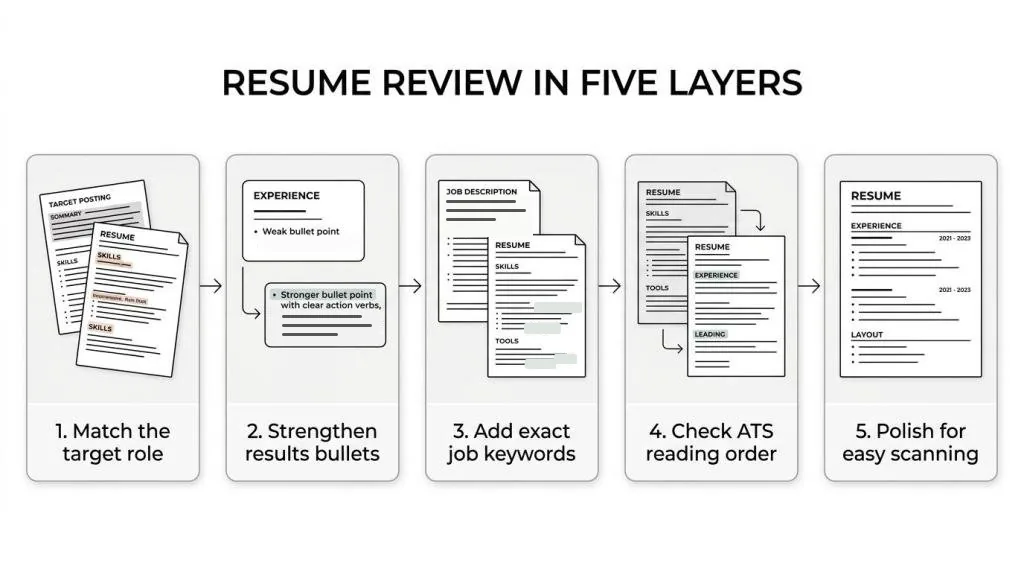
Resume tailoring in five steps
Each step has one output. Skip one and the next gets harder.
| Step | Focus | What you end up with |
|---|---|---|
| 1 | Read the job description closely | A short list of the posting's priorities |
| 2 | Match keywords honestly | Resume wording that reflects the role |
| 3 | Rewrite bullets for relevance | Stronger, better-ordered bullets |
| 4 | Check ATS readability | A version that parses cleanly |
| 5 | Save and track each version | A record of what went where |
Step 1: Analyze the job description before editing your resume
Most tailoring goes wrong before the editing starts. People jump into rewriting bullets without deciding what the employer cares about most. Treat the posting like a marking guide.
Read it twice. The first read is for the role. The second is for patterns: repeated skills, required tools, business goals and how much ownership is expected. If cross-functional work comes up three times, it isn't filler. If the posting separates required from preferred, the required items need to be visible near the top of your resume.
You're not trying to copy the posting. You're trying to find its priorities. Pull out:
- The job title and level
- Must-have tools or platforms
- Core responsibilities
- Industry terms
- Leadership or collaboration cues
- The business goals the role serves
Step 2: Match resume keywords with honest, role-specific wording
Now compare that language with your resume. This is where people either do too little, and sound too broad, or too much, and read like a pasted job description.
Use the employer's terms where they match what you did. If your resume says customer relationship platform and the posting says Salesforce, write Salesforce if that's what you used. If you wrote managed projects and they want Agile project management, be more specific when your experience supports it.
Your target title doesn't replace your past titles, but it can go in your headline or summary if it fits. Skills work the same way: if the posting asks for SQL, forecasting or stakeholder management and you have them, those exact words belong on the page.
Job match in ATSPrep does the comparison for you. Paste the posting and it lists the terms it asks for, marks which ones your resume covers and shows the line where it found each one, including when your wording differs from theirs. One test before you keep any keyword: could you explain it in an interview with confidence?
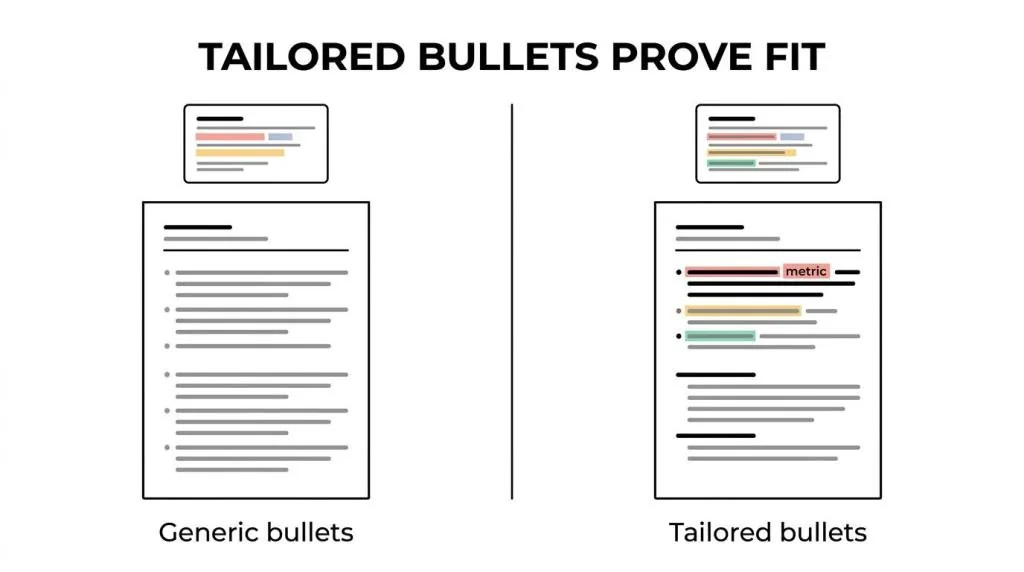
Step 3: Rewrite resume bullets to prove fit, not just list duties
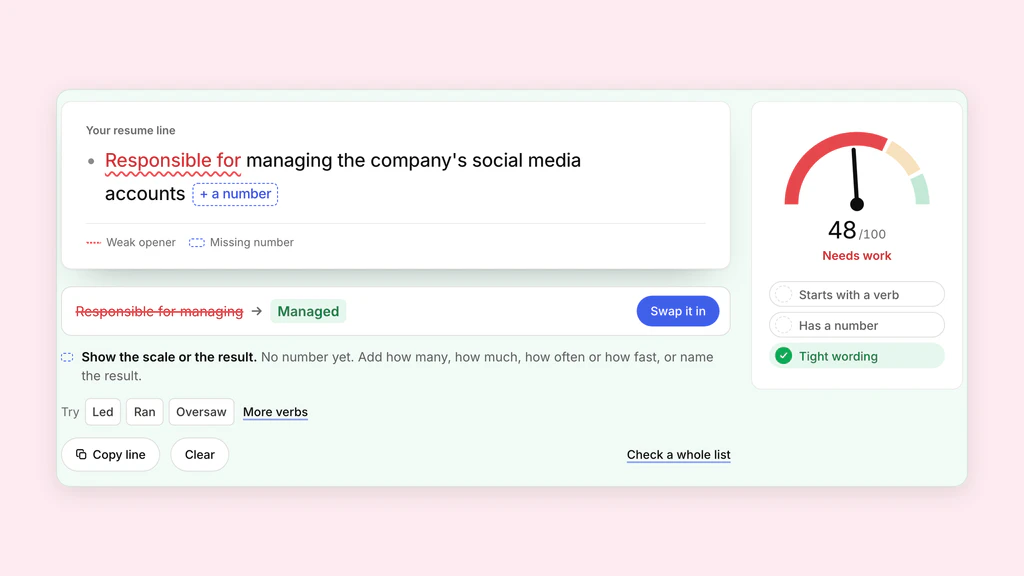
Keywords get your resume into the right conversation. Bullets make it convincing. Responsible for client communication says very little. A tailored bullet shows what you handled, how, and why it matters for the job you want next.
Lead with the most relevant work, not just the most recent. That can mean reordering bullets under a role: training staff moves up for a people management job, process improvement moves up for operations. A pattern that works:
- Action: a clear verb that fits the work.
- Scope: the team, tool, process or area involved.
- Result: a concrete outcome, when you have one.
- Relevance: wording that connects to the target role.
- Before: Worked with multiple teams. After: Coordinated with product, sales and support teams to launch account updates.
- Before: Handled reporting. After: Built weekly Excel and SQL reports for pipeline reviews.
If you're not sure you can back a requirement up, say so to yourself before you write it. In the ATSPrep tracker, Match your experience to this job lets you list each requirement, tick the achievements that show it, mark it I can show this, Not sure yet or I don't have this yet, and approve your wording before it goes on your resume.
Keep the strongest evidence near the top
Recruiters skim. They don't read top to bottom with patience, so the top third of your page carries the most weight. Put your strongest match there: headline, summary if you use one, core skills, then the bullets that track the posting most closely.
Trim as you go. If a section doesn't support this role, shorten it or cut it. Tailoring is as much about what you leave out as what you add.
Step 4: Check ATS formatting and reading order before sending
A well-tailored resume can still trip up if the file is hard to parse. It may look polished on screen and come apart when software extracts the text: skills landing after unrelated fragments, or dates split from their job titles.
Check what a system is likely to read, not just what you see. The ATSPrep ATS checker shows the text a parser pulls from your PDF or Word file, in reading order, without uploading it. If you export from the Studio, X-Ray reads that exact PDF back and checks your headings, contact details and bullets. Focus on:
- Section headings: standard labels like Experience, Skills and Education.
- Reading order: job title, employer, dates and bullets stay together.
- The real file: test the exact PDF or Word document you'll send.
- Simple formatting: clean spacing over heavy design.
- Characters: bullets, symbols and accents come through intact.
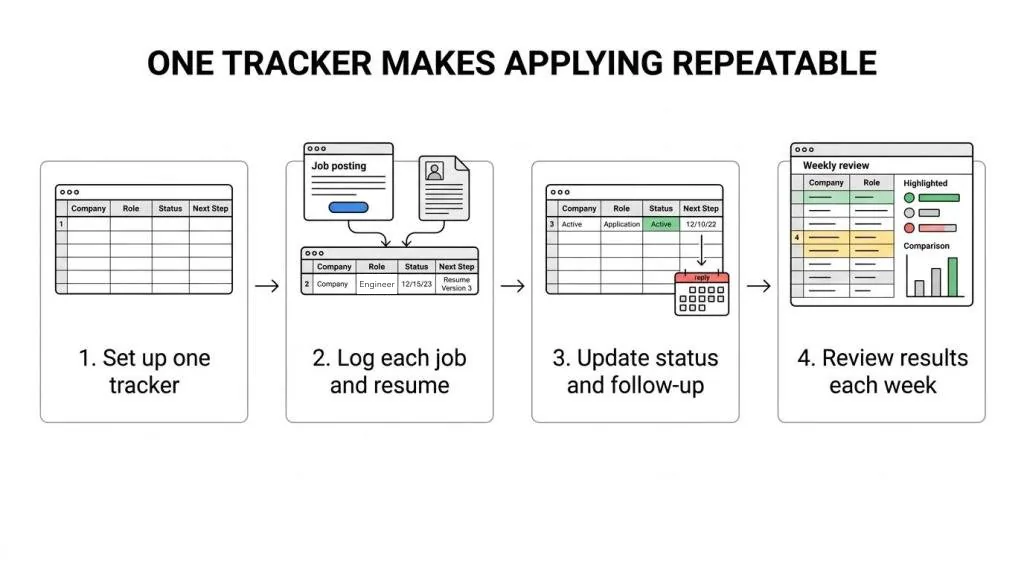
Step 5: Save tailored resume versions and track every application
Tailoring works best as a system. Once you're applying to several roles, it's easy to lose track of which version went to which company, especially when the changes are small.
Save each version under a clear name with the company and role. Keep the posting text too, since listings change or vanish, and you'll want the exact language that shaped your resume when an interview comes.
In ATSPrep, Save version in the Studio keeps up to 20 versions in your browser. Add the job to the tracker, tap Tailor to open it in Job match, and when you download, mark it as applied: the Studio saves that resume as a version named after the job and links it to the card. A simple routine:
- Keep your original resume as the base version.
- Copy it for each target role.
- Save the job posting with the job in your tracker.
- Record the exact version you sent.
- Keep the tailored resume and cover letter together.
A tailored resume should feel sharper, not more complicated. When every edit ties back to the posting, your experience is easier to trust, easier to scan and easier for an ATS to read.
Tailor your resume to the next posting. Free, in your browser, no sign-up needed.
Sources and further reading
- Create a resume/CV or cover letter, Harvard FAS Mignone Center for Career Success
- Résumé resources, Purdue Online Writing Lab
Put it into practice on a real resume.
Each example is a complete resume with role keywords and bullets that show proof. Open one in the Studio and make it yours, no account needed.