Free ATS resume checker that reads it like a parser.
Check your resume
PDF or Word (.docx), up to 12MB
Read in your browser. Your file is never uploaded.
Drop your resume to see what an applicant tracking system gets out of it, then fix it line by line.
- Reads your file the way a parser does
- Checks every bullet, with a note on how to fix it
- Your file never leaves your browser
What it checks on your resume.
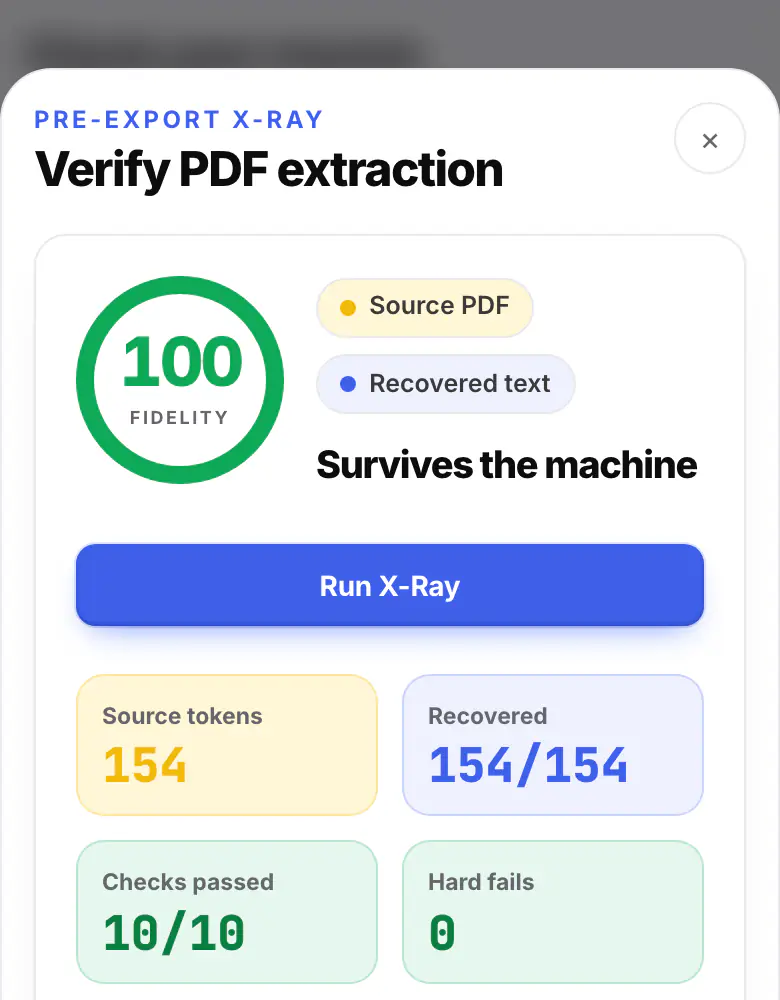
What a parser reads
Your file is read as plain text, the way an applicant tracking system pulls it in. If roles or bullets come out in the wrong place, you see that first. X-Ray then reads your new PDF back word by word.
How the file is read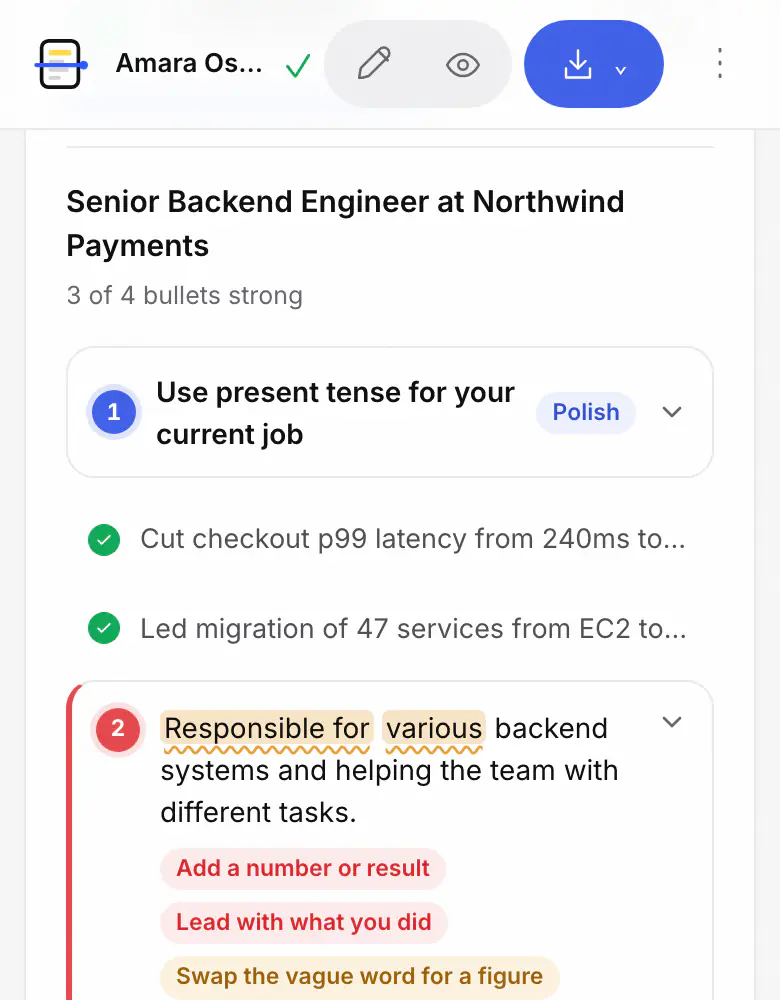
Every bullet
Each line gets a pin when it needs work: no number or result, a vague word, a weak opening, the wrong tense. Every note says what to change.
How bullets are reviewed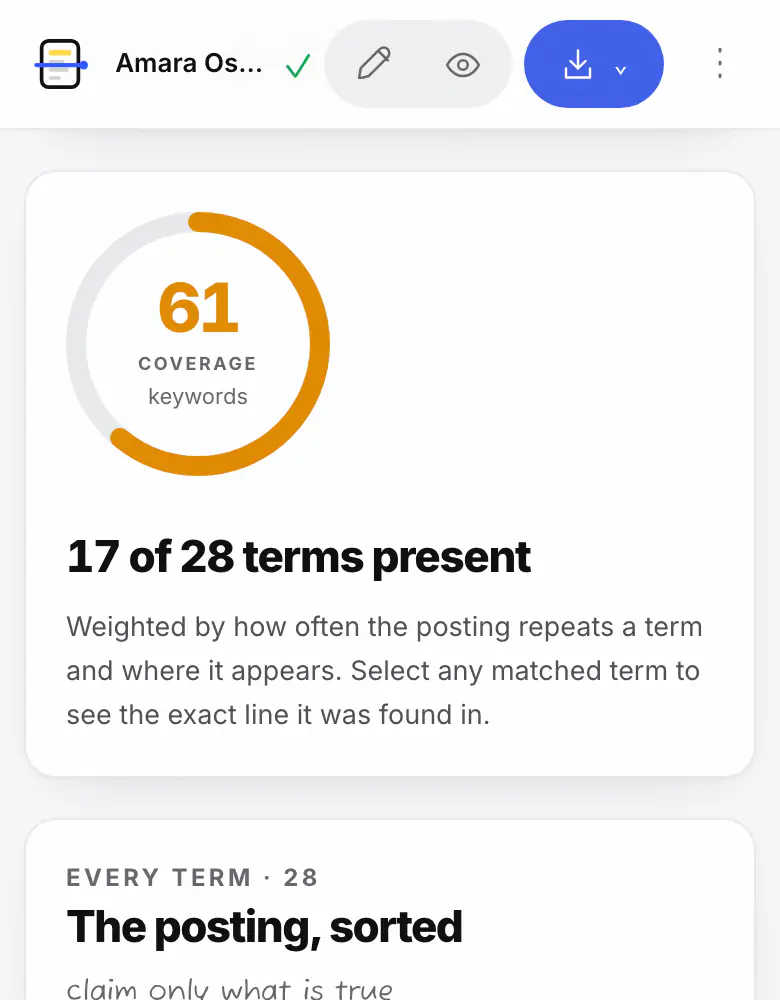
The job you want
Paste a job posting and Job match lists the skills and terms it asks for, marking the ones your resume already has and the ones it never mentions.
How the match is counted
From your file to a list of fixes.
- Step 1
Drop your resume
PDF, Word or plain text.
- Step 2
See what a parser reads
Then a note on every bullet that needs work.
- Step 3
Add a job post
Optional: see which of its keywords you cover.
Questions about checking your resume
What an ATS reads in your resumeHow ATS software reads resumesKeyword scannerATS resume templates
Which files can it check?
PDF and Word (.docx) files up to 12MB, plus plain text. Old .doc files, Pages files and photos of a resume can't be read; save them as PDF or .docx first, or paste the text instead.
Is my resume uploaded anywhere?
No. The file is read in your browser tab and the result is kept on this device. Nothing is sent to ATSPrep or anyone else, and you don't need an account.
Is the score the same one an employer's ATS gives me?
No. There's no shared ATS score: each system, and each recruiter, filters differently, and none of them publish a number. Our Review score counts the things we can check on the page, like whether bullets show results and whether the text reads back cleanly. It's a guide to what to fix, not a prediction.
What if my PDF comes out empty or jumbled?
Then a parser will probably struggle with it too. A scanned PDF has no text layer at all, and some two-column layouts read in the wrong order. Export a text-based PDF from the original document, or build it again from one of the ATS-friendly templates in the Studio.
Do I need a job posting?
No. Without one you get the file read-back and the bullet review. With one, Job match also shows which of the posting's keywords your resume covers and which it misses.
No resume file yet? Start one in the Studio.
Pick an ATS-friendly template and the Review checks every line as you write. Then save a clean PDF or Word file. Free, with no account.
Coming later: the Job Hunt Pass, $19 for 90 days. See what it adds