In this guide
Resume proofreading usually means a spelling pass. That catches typos, but it misses the mistakes that cost interviews: a wrong phone number, a bullet that lists a duty instead of a result, a keyword the job asks for that you never mention, and a PDF that reads back in the wrong order. This guide covers all four, in the order worth checking them.
The short version
- Proofread in layers: facts first, then each bullet, then fit to the job, then the exported file.
- Read the text your PDF gives back, not just the page you see. A layout can look perfect and still extract out of order.
- Run your editor's spell check as well. The checks in this guide look at structure and evidence, not spelling.
The proofreading checklist Tick it off before every send.
Name, phone, email and location. Click the email and every link to check they work.
Every role has a company, a title and start and end dates, and the dates don't overlap by mistake.
Present tense for your current job, past tense for the rest, and no mixing inside one role.
Open with what you did, not “Responsible for”. Add a number only if it's true and you can explain it.
Cut “various”, “team player” and “results-driven”. Replace them with what you actually did.
The skills the job asks for most appear in your resume, where they're true.
Run spell check, then read it aloud once. Watch for words spell check accepts, like “manger”.
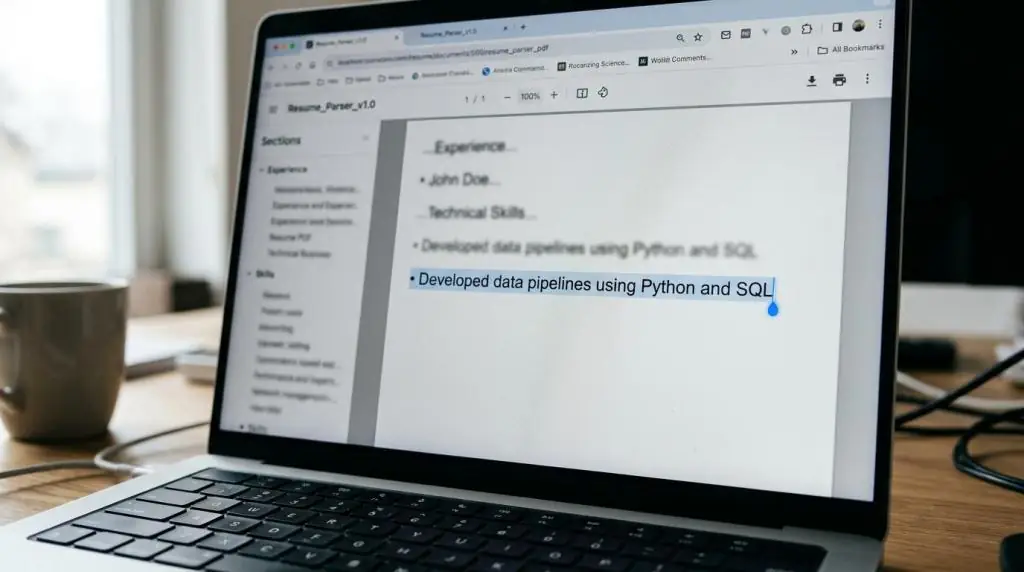
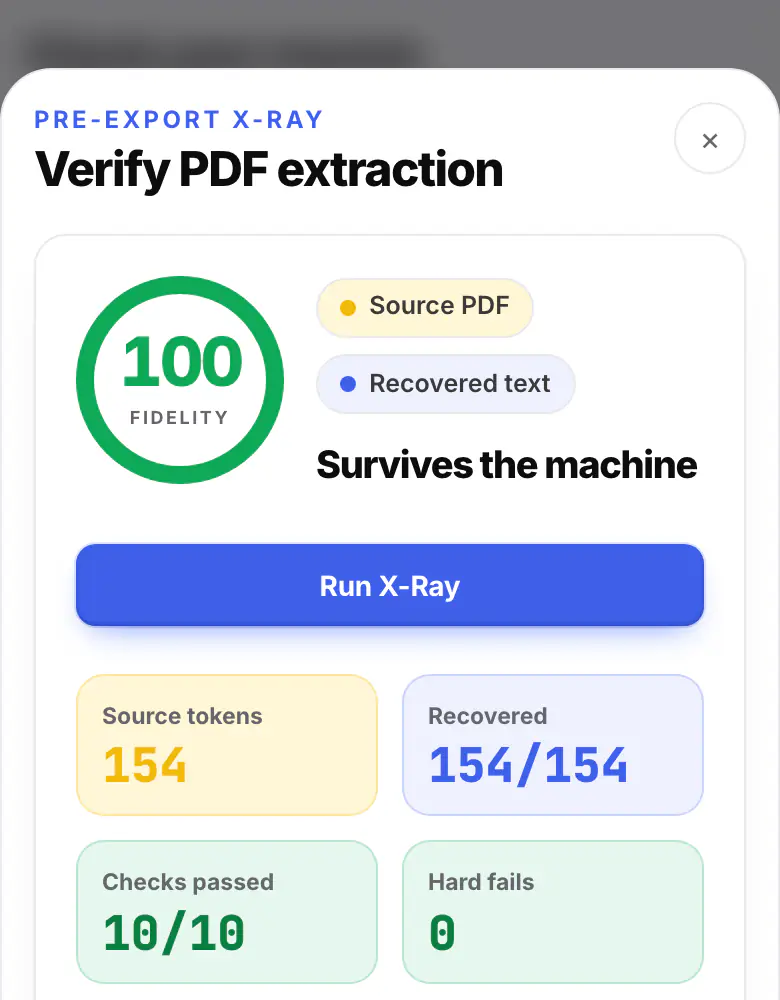
Select all in the PDF and paste it as plain text. It should read in order, with nothing missing.
Proofread. One last look, by a machine.
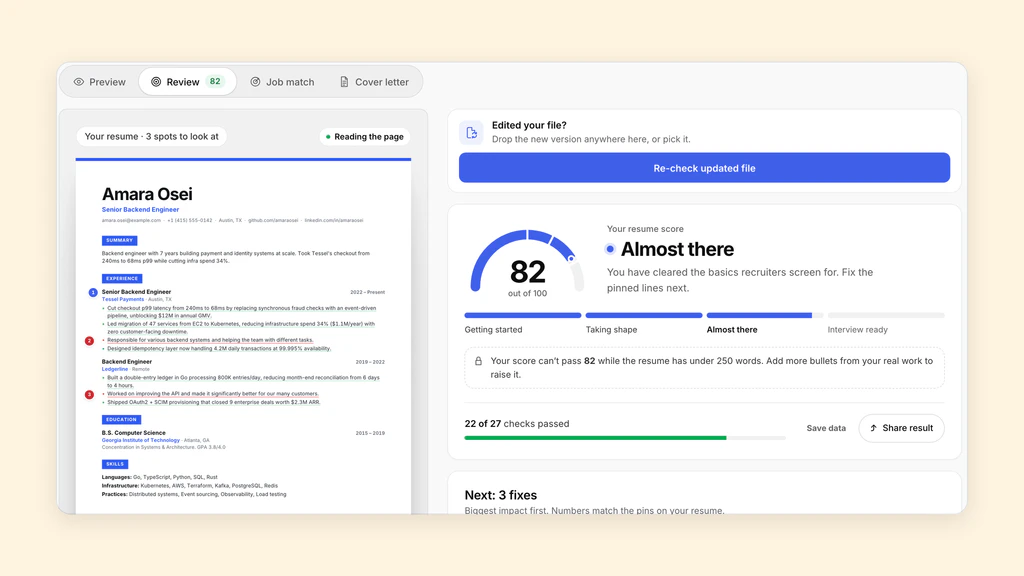
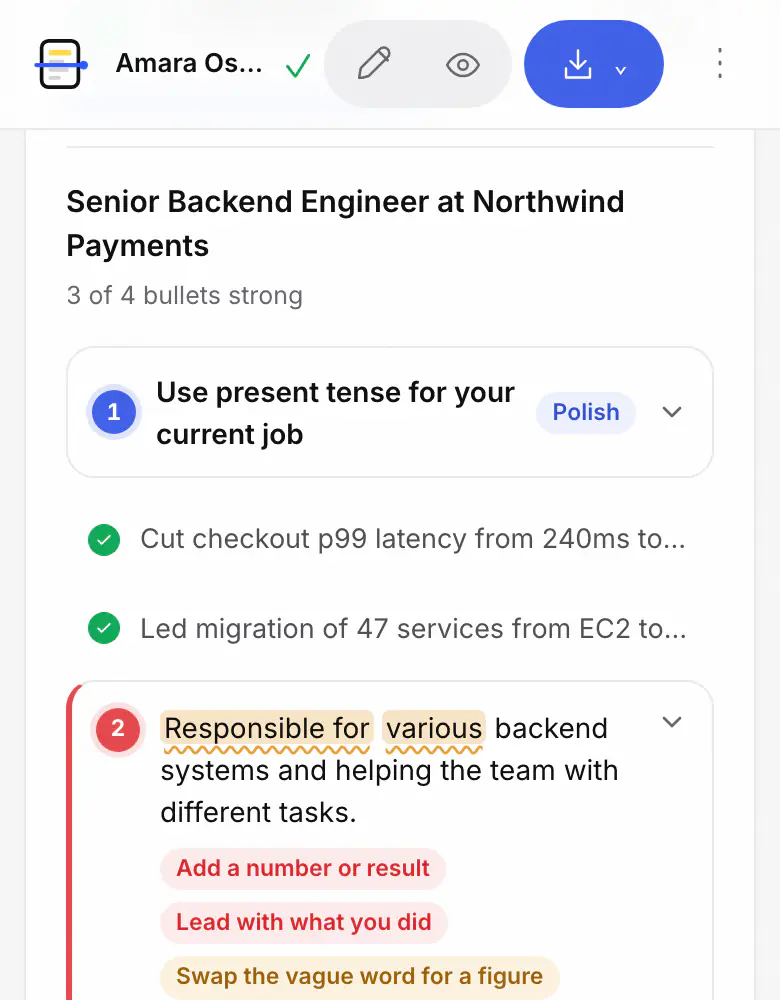
Import the resume into the Studio and the Review pins any bullet that still needs work, right where you edit it.
Resume proofreading checks more than spelling
A typo is easy to spot and usually forgivable. A missing email address or an employer with no dates is neither. Neither is a resume whose two columns come out of the PDF as one jumbled line.
So proofread in layers. Check the facts a recruiter needs to contact and place you. Then check each bullet says what you did and what came of it. Then compare the resume with the job posting. Last, check the exported file, because that is what you actually send.
Spell check still matters. ATSPrep's checks look at structure, evidence and the file, and they don't flag spelling mistakes, so run your word processor's spell check too.
Check reading order, bullets and job description keywords
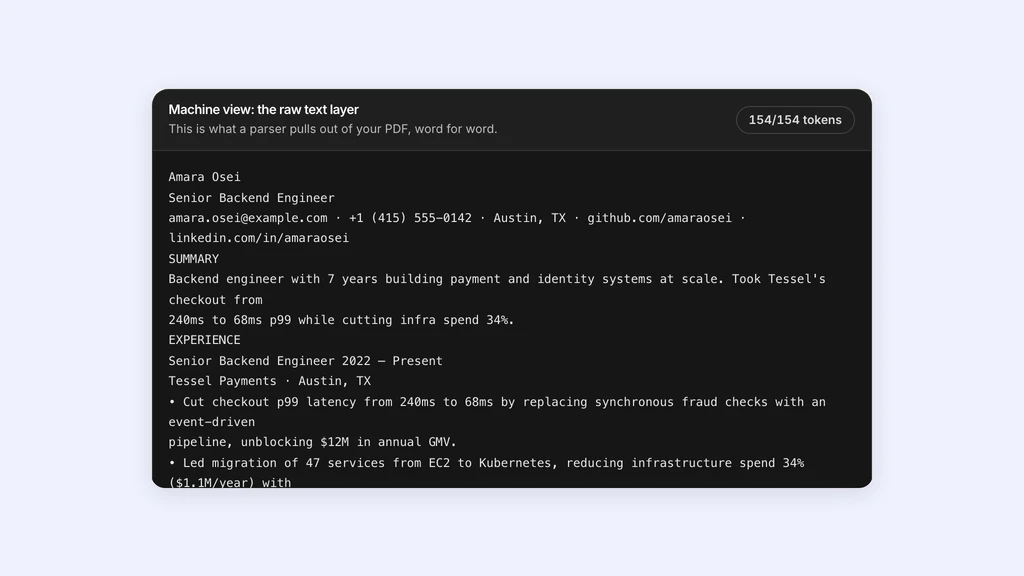
ATSPrep's free ATS resume checker reads your PDF or Word file as plain text, the way an applicant tracking system pulls it in. You see the extracted text first, so if a role or a bullet lands in the wrong place, that's the first thing you notice.
It then goes through every bullet. A bullet gets a note when it has no number or result, opens with a phrase like “Responsible for”, leans on filler or vague words like “various”, uses first person or passive voice, or runs too long. Each note says what to change. Paste a job posting too, and Job match lists the skills and terms it asks for, marking the ones your resume covers and the ones it never mentions.
Proofread the PDF for clean text recovery
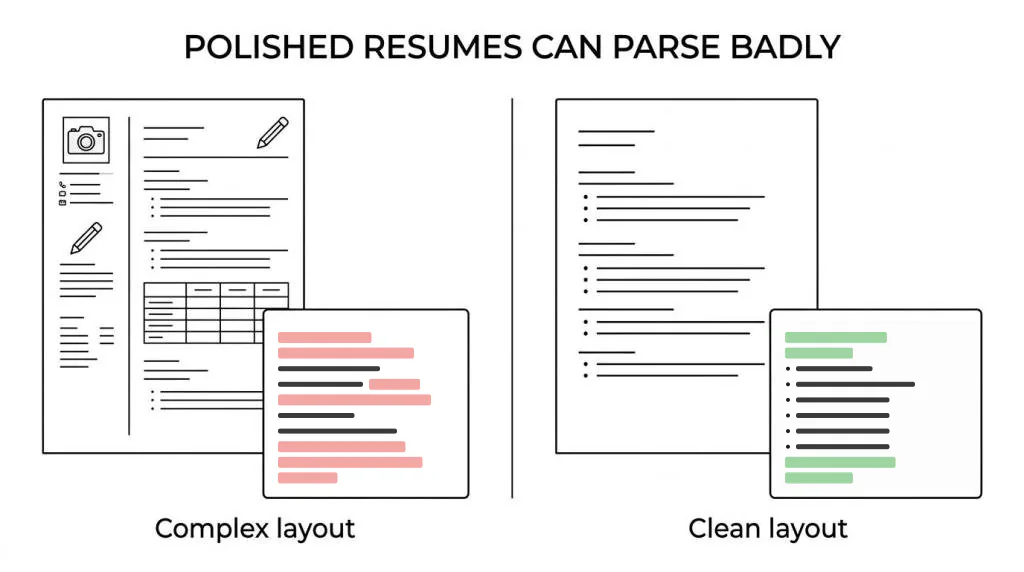
A resume can look polished and still read badly once the design is stripped away. Columns, tables, text boxes and scanned pages are the usual causes. You can't see the problem by looking at the page. You have to look at the text that comes out of it.
In our extraction study we generated 108 resume PDFs across 12 formatting conditions and read each one back with PDF.js. A scanned page returned 0% of its text: there was no text layer to read. A two-column layout kept 97.9% of its words, but 30.5% of the output lines fused text from unrelated parts of the page, such as a section heading joined to a bullet from another section.
That is one reader on synthetic files, so treat it as a reason to check, not a prediction of any employer's system. The check itself is quick: open your PDF, select all, copy and paste into a plain text editor. If nothing selects, or the lines come out jumbled, fix the layout before you send it.
Proof, tailor and track each application
If you apply to a lot of jobs, you'll end up with several versions of your resume. Proofread the copy you're about to send, not the master you checked last week. A version tailored in a hurry is where the stale job title or the wrong company name creeps in.
The resume keyword scanner compares a posting with your resume before you send it. Once it's sent, the application tracker keeps each job's stage, the resume version you used and your next step together, so you know which copy the employer read when they call.
Proofread privately in your browser
A resume holds your phone number, email and work history, so it's fair to ask where it goes. In ATSPrep, the file is read in your browser tab and never uploaded, and the bullet review runs on your device.
The checker, the Studio Review and PDF and Word downloads are free, with no account needed and no watermark.
What a resume proofreading tool can and can't tell you
No tool can tell you what an employer's ATS will score. There's no shared ATS score: each system and each recruiter filters differently, and none publishes a number. A review score counts things that can be checked on the page, like whether bullets show results and whether the text reads back cleanly. Use it as a list of what to fix, not a prediction.
A tool also can't check whether a claim is true. If a bullet says you cut costs by a third, make sure you can explain how in an interview. The final read is yours: read the resume aloud once, then ask someone else to point at anything they can't follow.
Proofread your own resume now. Free, in your browser, no sign-up needed.
Sources and further reading
- Create a strong resume, Harvard FAS Mignone Center for Career Success
- Résumé workshop, Purdue Online Writing Lab
- Resume PDF extraction study, ATSPrep research
Put it into practice on a real resume.
Each example is a complete resume with role keywords and bullets that show proof. Open one in the Studio and make it yours, no account needed.