In this guide
One of the most repeated pieces of resume advice is to avoid decorative bullet characters, because an ATS will supposedly choke on them. We tested this directly. Across 9 resumes rendered with ZapfDingbats bullets, every metric was identical to the plain single-column control: 100% word recovery, 100% reading order, 0% line welding. The advice is wrong in our measurement, and the reason it persists is worth understanding.
The short version
- Symbol-font bullets scored 100% on every metric. No damage was measurable.
- The ZapfDingbats filled circle is stored at the byte for the letter "l". PDF.js resolved the font encoding correctly.
- This contradicts widely repeated advice. The historical basis for the warning is real, but modern readers handle standard symbol fonts.
- The honest remaining reason to prefer plain bullets is predictability across unknown readers, not proven breakage.
What the advice says and where it comes from
Search for resume bullet point advice and you will find a near-universal recommendation: use plain hyphens or standard bullet characters, avoid decorative or symbol-font bullets. The reasoning varies. Some guides say ATS software cannot read them. Others say they will appear as random letters in the parsed output. A few simply say they cause errors without specifying what kind.
The historical basis is not imaginary. In the early days of PDF extraction, some readers did ignore font encoding tables and emitted the raw byte value as a character. A ZapfDingbats bullet stored at byte 0x6C would come out as the letter "l". A Wingdings arrow stored at byte 0x44 would come out as "D". This was a real failure mode in real software.
The question is whether it is still a real failure mode in modern extraction, and that question has a testable answer. So we tested it.
How symbol fonts encode bullet characters
A symbol font like ZapfDingbats or Wingdings stores graphic characters at byte positions that would normally hold letters. The filled circle glyph in ZapfDingbats sits at byte 0x6C, the same position as a lowercase "l" in a standard Latin font. The PDF file contains an encoding table that maps byte values to glyph names, so a reader that consults the table knows that 0x6C means a bullet, not a letter.
This is the same mechanism used by Microsoft Word when it inserts Wingdings or Symbol bullets. Word writes the byte value and embeds the encoding. A competent reader follows the encoding and resolves the correct character. A reader that ignores the encoding and treats the byte as ASCII will produce stray letters.
The PDF specification, PDF 32000-1:2008, defines this encoding mechanism in detail. It is not a workaround or a trick. It is the standard way symbol characters are stored in PDF files, and any reader that claims to extract text from PDFs is expected to handle it.
What we tested
We generated 9 complete resumes and rendered each with a decorative-bullets condition that drew every bullet point using the ZapfDingbats font. The filled circle glyph was placed at the start of each list item, exactly as Word would do with a symbol-font bullet. The same resumes were also rendered as a single-column control with standard text.
All 108 files were extracted with PDF.js using the same line-grouping rules the product ships. We scored word recovery, reading-order fidelity, line welding, and whether contact details survived intact.
The decorative-bullets condition produced a higher average item count than the control: 43 positioned fragments per document versus 30. Each bullet is an extra positioned item, drawn from a different font, placed at its own coordinates. If anything were going to go wrong, this is where it would show.
The corpus is synthetic. We generated all 108 files rather than collecting real applicant resumes, because a collected corpus can only show that a file failed, never which property caused it. One variable moves at a time and the intended text is known exactly. No one's personal data is involved.
The result: no measurable damage
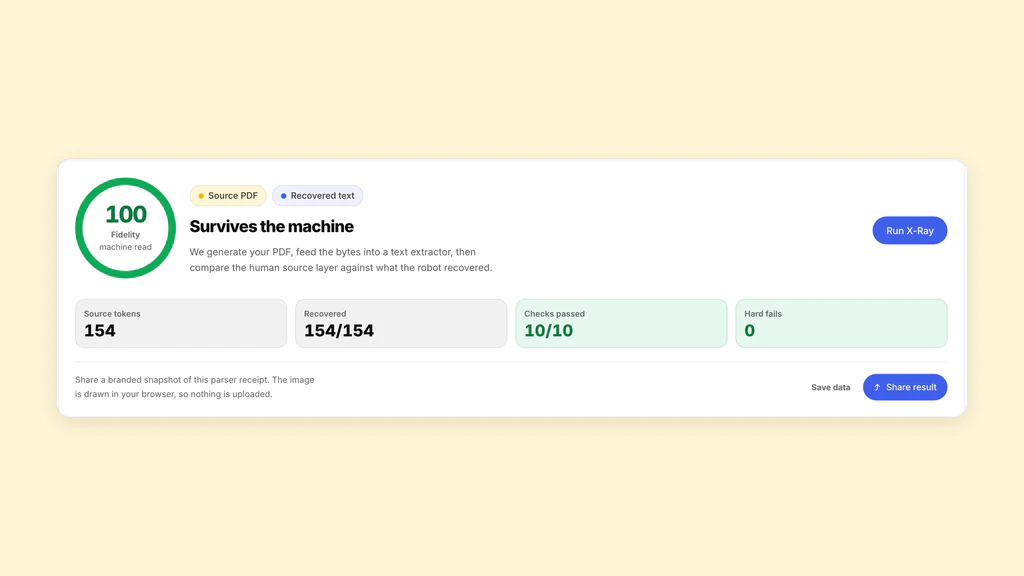
Every metric was identical to the control. Word recovery: 100%. Reading-order fidelity: 100%. Line welding: 0%. Email intact, phone intact, name intact, block integrity: all matched the control exactly.
PDF.js resolved the ZapfDingbats encoding correctly. No stray letters appeared in the extracted text. The bullets were either rendered as their Unicode equivalent or omitted cleanly, and the surrounding text was unaffected.
This is a null result, and null results are worth publishing. The advice to avoid symbol-font bullets is repeated with the same confidence as advice that our study did confirm, like avoiding side-by-side layout. If the measurement does not support the claim, reporting that is more useful than repeating the claim.
| Condition | Words | Order | Welded | Avg items |
|---|---|---|---|---|
| Single column (control) | 100% | 100% | 0% | 30 |
| Decorative bullets | 100% | 100% | 0% | 43 |
- Single column (control)100%
- Decorative bullets100%
- No space characters99.8%
- Two columns97.9%
- Letter-spaced headings96.9%
- Scanned image0%
The honest caveat
We tested one reader. PDF.js is a mature, widely used PDF library maintained by Mozilla. It handles font encoding correctly. But it is not the only reader in the world, and we cannot claim that every ATS uses a reader of the same quality.
An extraction library that ignores font encoding tables would still emit stray characters from symbol-font bullets. Such libraries exist. Some of them are old. Some are cheap. Some are built in-house at companies that did not prioritise edge cases in their PDF parsing.
So the historical warning is not baseless. It is just out of date for competent readers. The risk is not that symbol-font bullets are inherently broken. The risk is that you do not know which reader will process your file, and some readers are less competent than others.
What the advice was probably reacting to
The original advice almost certainly came from people who saw stray letters in parsed resume output and traced them back to symbol-font bullets. That failure was real. It happened in real systems. And the advice to avoid it was correct at the time.
The problem is that advice, once published, does not update itself. The original observation was specific: certain readers mishandle symbol-font encoding. The advice that spread was general: never use decorative bullets. The specificity was lost in transmission, and what remains is a blanket prohibition that no longer matches how modern readers behave.
This is a pattern we see across resume formatting advice. A real observation gets abstracted into a rule, the rule gets repeated without the observation, and eventually no one remembers what the rule was protecting against. Measuring is the only way to tell which rules still hold.
The real remaining reason to prefer plain bullets
There is a genuine reason to prefer plain hyphens or standard Unicode bullets, and it is not the one most guides give. The reason is predictability across unknown readers. You cannot know what extraction library an employer uses, and while competent readers handle symbol fonts correctly, not all readers are competent.
A plain hyphen or a standard Unicode bullet (U+2022) is stored as itself in any font. No encoding resolution is needed. No font table needs to be consulted. The character is what it is in every reader, competent or not. That is a real advantage, and it does not require overstating the risk to justify it.
The advice should say: plain bullets are the safest choice because they do not depend on encoding resolution, though modern readers handle symbol fonts correctly. That is a more useful statement than "avoid decorative bullets or your resume will break", because it tells you both the risk and its magnitude.
- Plain hyphens and Unicode bullets (U+2022) need no encoding resolution and work in every reader.
- Symbol-font bullets work correctly in competent readers but depend on the reader consulting the font encoding table.
- The risk is not breakage in modern software. The risk is encountering a reader that is not modern.
- If your template uses symbol-font bullets and you like how they look, the measured risk from our test is zero. The unmeasured risk is non-zero but unquantified.
Measured result versus repeated claim
In our study of 108 PDFs across 12 conditions, decorative symbol-font bullets caused no measurable damage to extraction. The measurement contradicts the advice. We report the measurement.
We also report the limits of the measurement. One reader, one symbol font, one bullet style. A broader test across multiple readers would give a more complete picture, and we would welcome it. Until then, the strongest honest statement is that the risk is unconfirmed in modern extraction and the historical basis for the warning, while real, is specific to readers that ignore font encoding.
Resume formatting decisions should be made on evidence where evidence exists, and on clearly stated uncertainty where it does not. For symbol-font bullets, the evidence we have says they are fine. The uncertainty is about readers we have not tested.
One reader was tested: PDF.js, the same library the X-ray runs. Employer systems use other extractors and may differ. Findings describe how these formatting choices behave under extraction, not how any particular company screens.
Sources and further reading
- PDF.js, Mozilla
- pdf-lib, pdf-lib
- PDF 32000-1:2008, Document Management — Portable Document Format, Adobe / ISO
Put it into practice on a real resume.
Each example is a complete resume with role keywords and bullets that show proof. Open one in the Studio and make it yours, then download it with a free account.